
Download AntiLogger – anti-keylogger, keystroke logger protection, screen capture protection, computer security, download protection
Overview
AntiLogger is a security-focused software designed to deliver proactive protection against a range of digital threats, including keystroke logging malware, screen-capture viruses, and other stealthy attacks. Unlike reactive security tools that respond after a threat is detected, AntiLogger operates as an active defense system, aiming to prevent malicious activities before they compromise user data. Its primary purpose is to safeguard sensitive information such as passwords, financial details, and personal communications by blocking unauthorized access attempts at the system level.
The app is tailored for individuals and organizations seeking a streamlined yet powerful solution to modern cyber threats. It targets users who value privacy and security but may not have technical expertise in cybersecurity. Real-world use cases include remote workers handling confidential data, online shoppers protecting payment information, and anyone using public or shared computers. By integrating into the system environment, AntiLogger runs in the background, minimizing user intervention while maintaining continuous vigilance.
Developed by AntiLogger, the software was released on July 15, 2023, and is available exclusively for Windows. The developer did not provide additional technical details about their background or prior products. Despite this, the app’s clear focus on prevention and user-friendly design suggests a targeted approach to improving personal cybersecurity in an increasingly hostile digital landscape.
Key Features & Functionality
- Active Threat Prevention – AntiLogger continuously monitors system behavior to detect and block attempts by malicious software to capture keystrokes or screen content. This real-time defense helps prevent data theft before it occurs.
- Simple Interface and Easy Usability – The software features a clean, intuitive layout that simplifies complex security tasks. Users can manage protection settings without needing advanced technical knowledge.
- Customizable Defense Options – Users can selectively enable or disable specific protection layers based on their risk profile or system performance needs, offering flexibility without overwhelming complexity.
- Active Download Assessment – When new programs are downloaded, the software evaluates their potential risk and alerts users, allowing them to block suspicious files before installation.
- 21-Day Trial Period – A trial version is available, enabling users to test the full functionality of the software before deciding on a purchase.
For example, a remote employee downloading a software update from a third-party site can benefit from the active download assessment, which may flag a potentially malicious installer. Similarly, a user working on a public computer can rely on the keystroke and screen capture protection to prevent data leakage. These features collectively create a robust, hands-off security layer ideal for users who want protection without constant monitoring.
Interface, UX & Performance
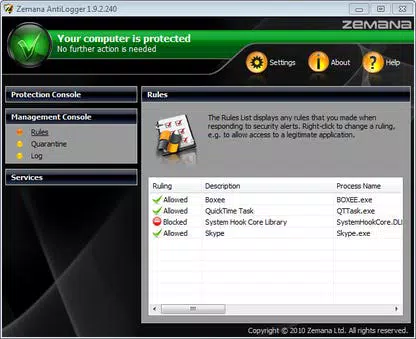
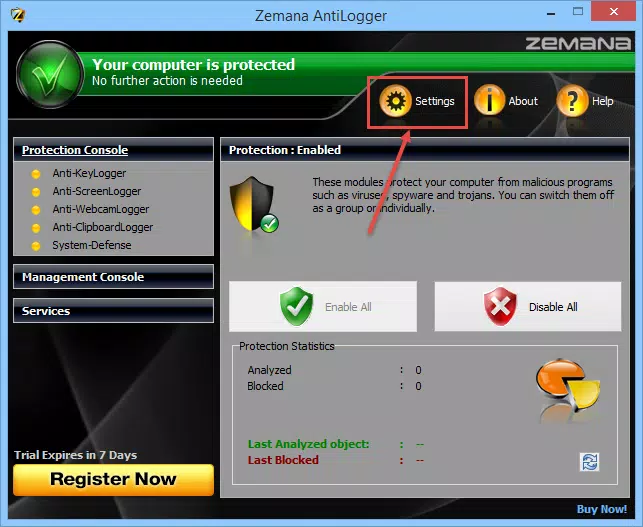
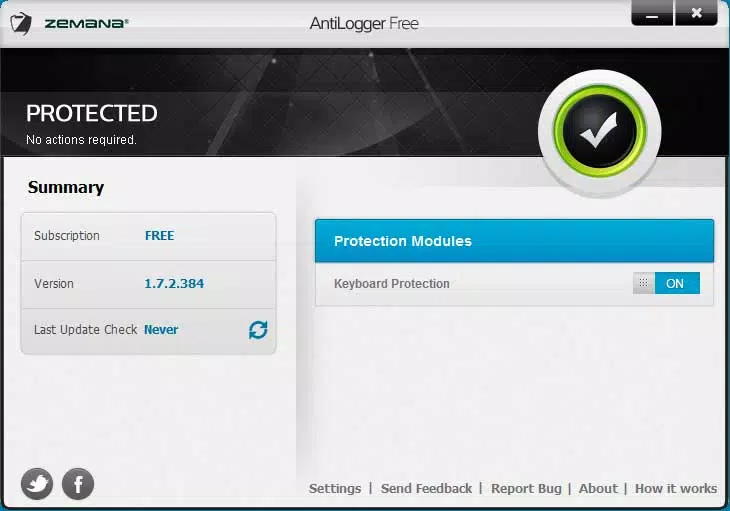
AntiLogger presents a minimalist interface designed for clarity and ease of use. The main dashboard displays essential status indicators, such as active protection and recent threat detections, using straightforward visual cues. Navigation is linear and consistent, with minimal menu depth, reducing the chance of user confusion.
Although the developer did not list formal performance metrics, the app’s 25.6 MB file size suggests a lightweight footprint, likely minimizing impact on system resources. It is expected to function efficiently across a range of Windows devices, from older machines to modern systems. Responsiveness appears to be optimized for real-time threat detection, with no reported delays in alerting users to potential risks.
Stability is implied by the app’s focus on background operation and continuous protection. The lack of visible scan progress bars or detailed logs may indicate a design choice to avoid overwhelming users, though it could limit transparency for advanced users. Overall, the UX prioritizes simplicity and reliability, aligning with its target audience of non-technical users seeking dependable security.
Platform Compatibility & Technical Requirements
AntiLogger is designed for the Windows platform and is compatible with Windows operating systems. The software version is 1.0.0, released on July 15, 2023. The file size is 25.6 MB, indicating a compact installation that should not strain storage on most devices.
The developer did not specify minimum OS requirements or compatibility with specific Windows versions. Similarly, no details were provided about hardware specifications or system prerequisites. Compatibility information was not fully disclosed, so users should verify system compatibility before installation. Updates are expected to follow the software’s release cycle, though no information was provided about update frequency or delivery method.
Pros and Cons
Pros
- Simple, intuitive interface suitable for non-technical users
- Active defense mechanism prevents threats in real time
- Customizable protection settings for tailored security
- 21-day trial allows risk-free evaluation
- Lightweight file size with minimal system impact
Cons
- No public information about developer background or history
- Specific OS requirements not disclosed
- Limited visibility into system activity or threat logs
- No details on update frequency or patching schedule
- Only available for Windows, limiting cross-platform use
FAQ
Is AntiLogger safe to install on my computer?
Yes, AntiLogger is designed as a legitimate security tool. It operates with standard system permissions and does not include known malware or intrusive components. Users should ensure they download the software from official sources to maintain security.
Can I use AntiLogger on multiple devices?
The app is currently available only for Windows. The developer did not specify whether a single license covers multiple devices or if additional purchases are required.
How does AntiLogger differ from traditional antivirus software?
Unlike reactive antivirus tools that scan for threats after infection, AntiLogger focuses on active prevention. It blocks keystroke logging and screen capture attempts in real time, offering a proactive layer of defense.
Is there a free version of AntiLogger?
AntiLogger offers a 21-day trial period but does not include a permanently free version. After the trial, users must purchase the full license for $29.99 to continue using the software.
Does AntiLogger work on older versions of Windows?
The developer did not disclose compatibility with specific Windows versions. Users are advised to check system requirements before installation, as compatibility with older systems cannot be confirmed.
Final Thoughts
AntiLogger stands out in the crowded security software market by emphasizing proactive protection over reactive detection. Its lightweight design, intuitive interface, and focus on preventing keystroke and screen capture threats make it a compelling choice for users who prioritize privacy and simplicity. While the lack of detailed technical information may raise questions for advanced users, the app’s straightforward approach appeals to everyday users seeking reliable, hassle-free security.
For individuals handling sensitive data on Windows systems, AntiLogger offers a valuable layer of defense without requiring constant attention. The 21-day trial allows users to experience its benefits firsthand, making it a low-risk investment for enhanced digital safety.
Download AntiLogger now


